




















Adding a Font to the Resource
Наши примеры проектов и шаблоны отчётов помогут Вам разобраться в основах работы с нашими продуктами.Register the required resource in JavaScript so the dashboard renders consistently in every environment.
Registering the resource. Load or register the external resource before rendering so the finished dashboard remains portable across environments.
На скриншоте ниже Вы можете увидеть результат выполнения данного кода:
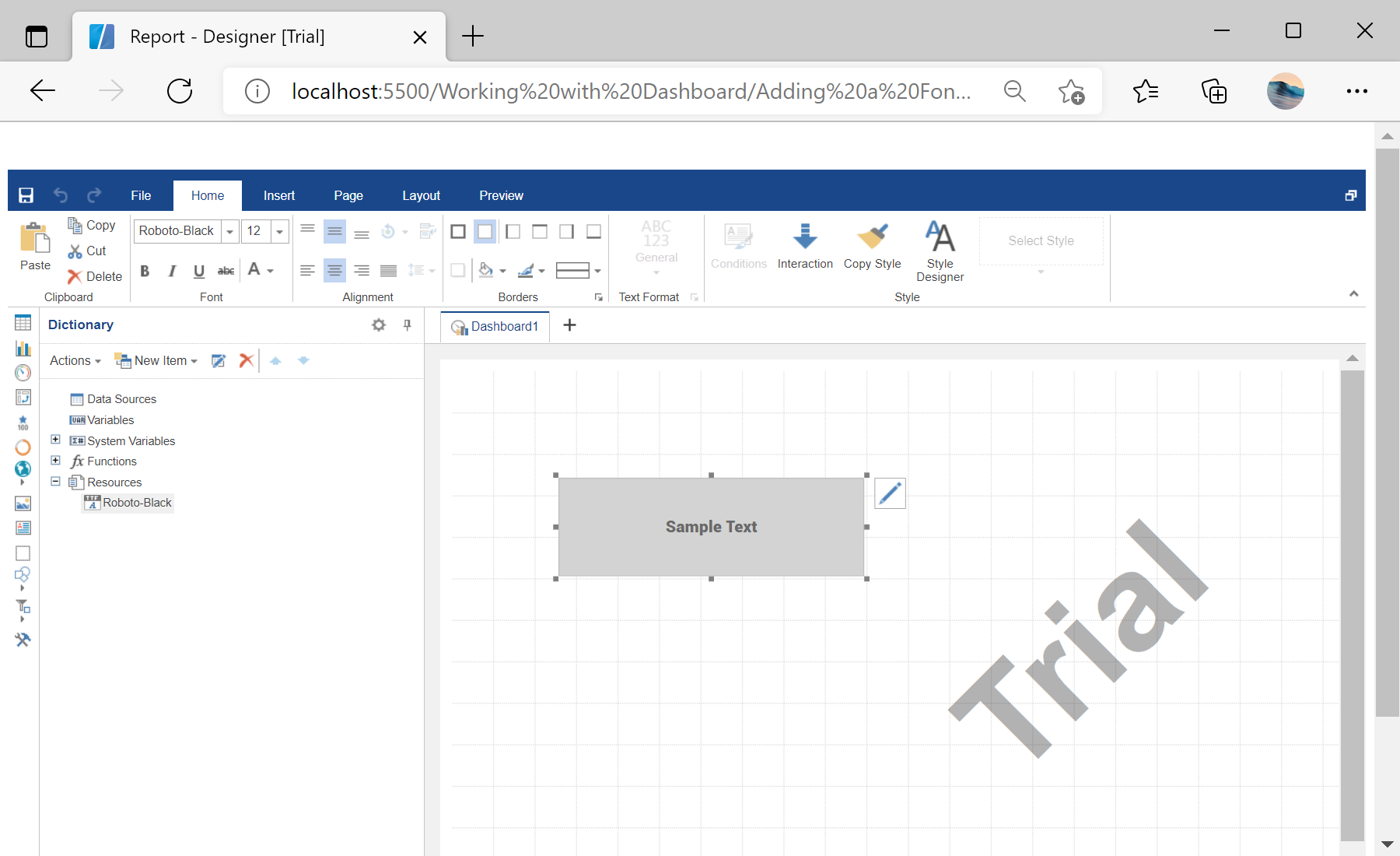
Registering the resource. Load or register the external resource before rendering so the finished dashboard remains portable across environments.
var report = Stimulsoft.Report.StiReport.createNewDashboard();

var fontFileContent = Stimulsoft.System.IO.File.getFile("../dashboard/Roboto-Black.ttf", true);
var resource = new Stimulsoft.Report.Dictionary.StiResource(
    "Roboto-Black", "Roboto-Black", false,
    Stimulsoft.Report.Dictionary.StiResourceType.FontTtf, fontFileContent);
report.dictionary.resources.add(resource);

var textElement = new Stimulsoft.Dashboard.Components.Text.StiTextElement();
report.pages.getByIndex(0).components.add(textElement);StiResource of type FontTtf. Because it travels inside the dashboard, exports are pixel-perfect even where the font is not installed.На скриншоте ниже Вы можете увидеть результат выполнения данного кода: