




















Customizing the Designer
Наши примеры проектов и шаблоны отчётов помогут Вам разобраться в основах работы с нашими продуктами.The dashboard designer interface can be trimmed to expose only the features you want. This example hides several toolbar items.
Designer setup. Configure the designer, load the dashboard template, process its callbacks, and connect the save action to the application.
На скриншоте ниже Вы можете увидеть результат выполнения данного кода:
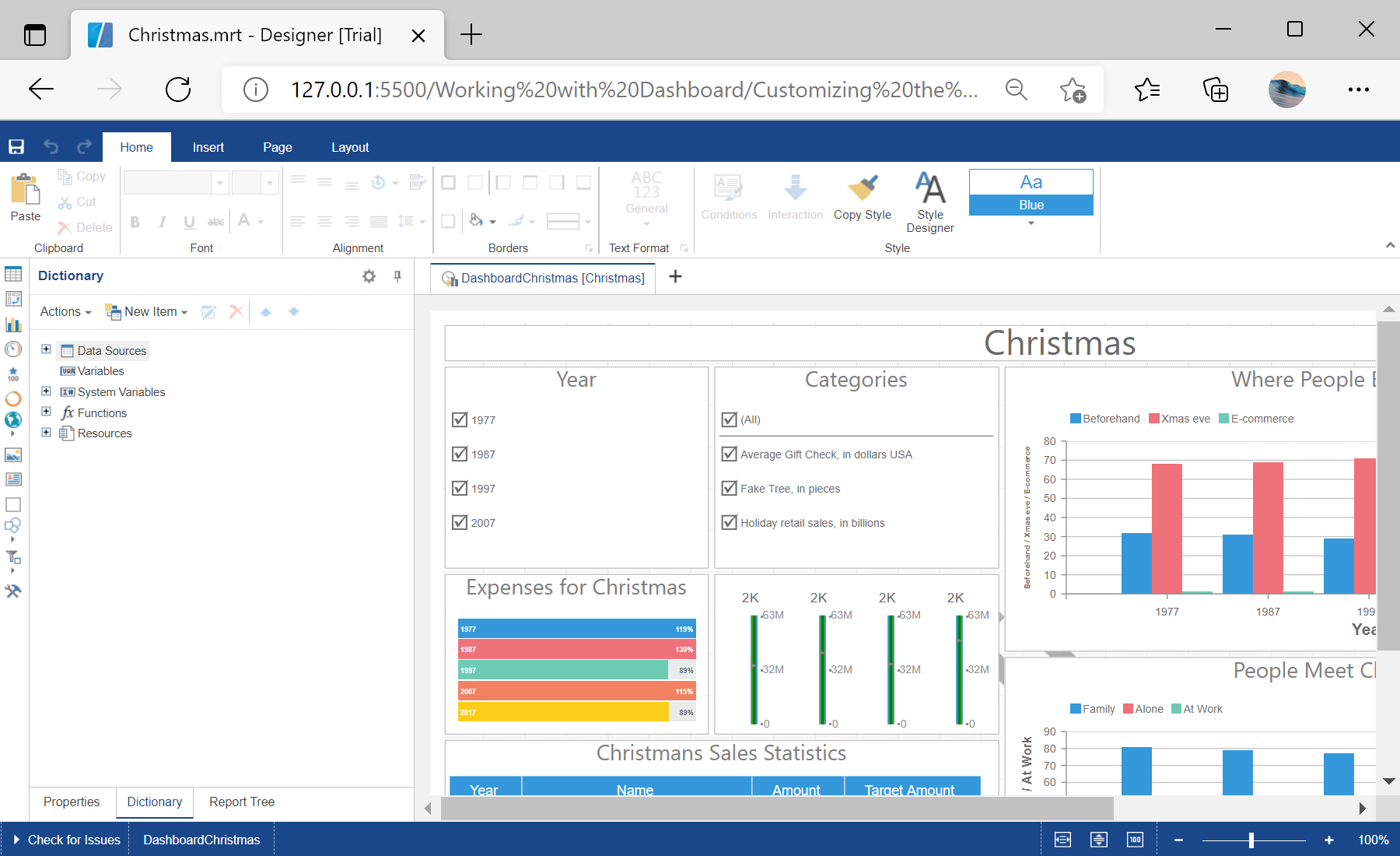
Designer setup. Configure the designer, load the dashboard template, process its callbacks, and connect the save action to the application.
var options = new Stimulsoft.Designer.StiDesignerOptions();
options.appearance.fullScreenMode = true;
options.toolbar.showPreviewButton = false;
options.toolbar.showFileMenu = false;

var designer = new Stimulsoft.Designer.StiDesigner(options, "StiDesigner", false);
var report = Stimulsoft.Report.StiReport.createNewDashboard();
report.loadFile("../dashboard/Christmas.mrt");
designer.report = report;toolbar option group switches individual interface elements on and off, so you can present a simplified designer tailored to your users.На скриншоте ниже Вы можете увидеть результат выполнения данного кода: