




















Adding a Custom Function to the Designer
Наши примеры проектов и шаблоны отчётов помогут Вам разобраться в основах работы с нашими продуктами.A custom function registered with
Implement the function. A public static method does the work:
How it works. Once registered, the function appears in the designer's function list and can be called from any dashboard or report expression.
На скриншоте ниже Вы можете увидеть результат выполнения данного кода:
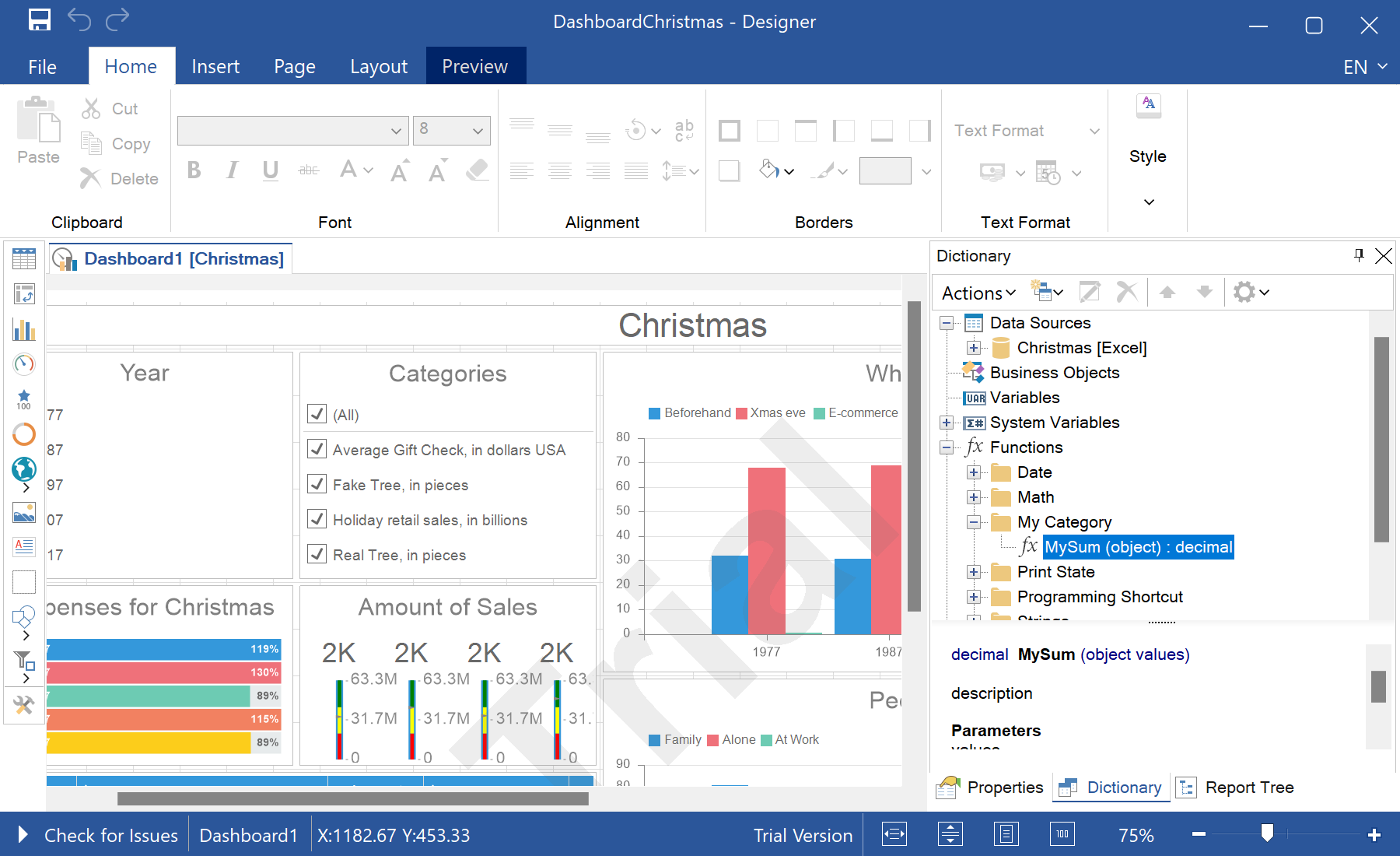
StiFunctions becomes available in dashboard and report expressions, alongside the built-in ones.Implement the function. A public static method does the work:
public static decimal MySum(object value)
{
    if (!ListExt.IsList(value))
        return StiValueHelper.TryToDecimal(value);

    return Funcs.SkipNulls(ListExt.ToList(value)).TryCastToDecimal().Sum();
}StiFunctions.AddFunction(
"My Category", "MySum", "description",
typeof(MyClass), typeof(decimal),
"Calculates a sum of the specified set of values.",
new[] { typeof(object) }, new[] { "values" }, new[] { "A set of values" }
).UseFullPath = false;StiFunctions.AddFunction(...)— registers the method with its category, return type, argument types and help text.UseFullPath = false— lists the function by name without the category prefix in the expression editor.
How it works. Once registered, the function appears in the designer's function list and can be called from any dashboard or report expression.
На скриншоте ниже Вы можете увидеть результат выполнения данного кода: