




















Creating a Custom Button on the Viewer Toolbar
Наши примеры проектов и шаблоны отчётов помогут Вам разобраться в основах работы с нашими продуктами.Set up the report viewer in Server, load a template, and connect the component to the application.
Viewer setup. Configure the viewer, load the report, assign it to the component, and process the requests or events raised by the UI.
На скриншоте ниже Вы можете увидеть результат выполнения данного кода:
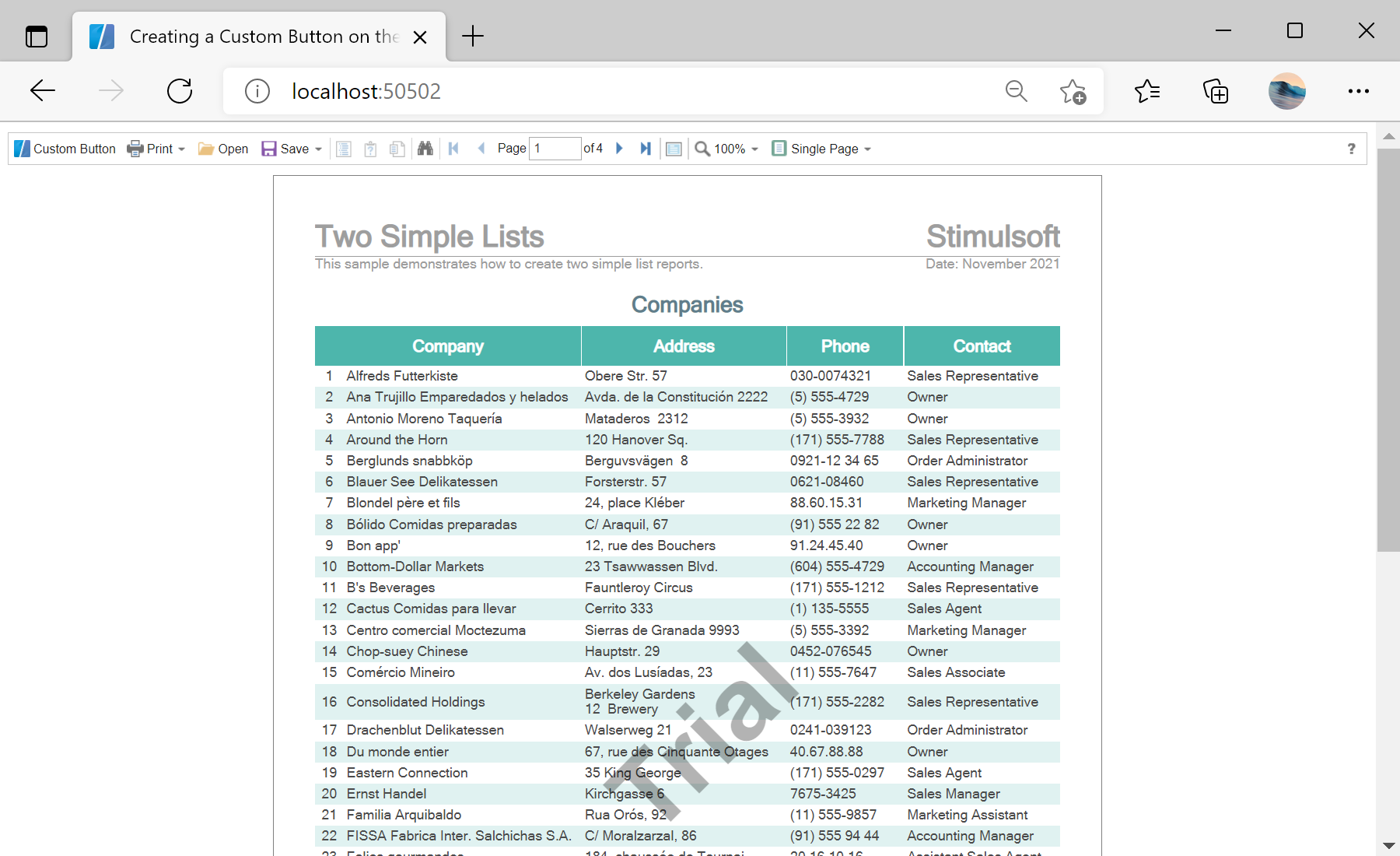
Viewer setup. Configure the viewer, load the report, assign it to the component, and process the requests or events raised by the UI.
@inject IJSRuntime JSRuntime

<StiBlazorViewer ID="WebViewer1" Report="@Report" OnViewerAfterRender="@OnViewerAfterRender" />

@code {
    private void OnViewerAfterRender()
    {
        JSRuntime.InvokeVoidAsync("createButton");
    }
}OnViewerAfterRender callback fires when the viewer is ready; from it you invoke a JavaScript function (createButton) that inserts a custom button into the toolbar and wires it to your logic through the viewer's client API.На скриншоте ниже Вы можете увидеть результат выполнения данного кода: