




















Showing a Report in the Viewer
Наши примеры проектов и шаблоны отчётов помогут Вам разобраться в основах работы с нашими продуктами.Stimulsoft provides native Blazor components, so the viewer is used as a Razor tag.
Viewer setup. Configure the viewer, load the report, assign it to the component, and process the requests or events raised by the UI.
На скриншоте ниже Вы можете увидеть результат выполнения данного кода:
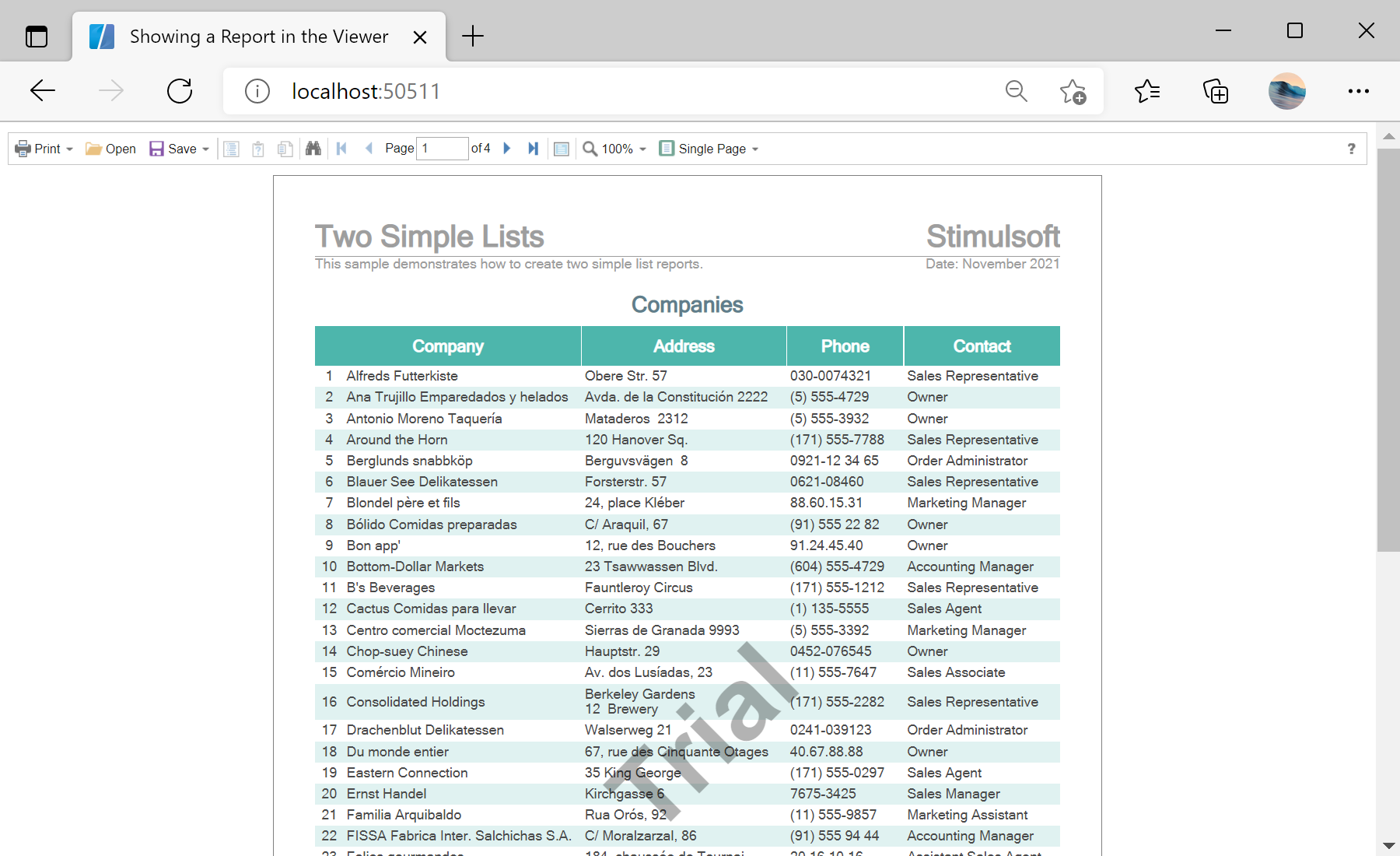
Viewer setup. Configure the viewer, load the report, assign it to the component, and process the requests or events raised by the UI.
@page "/"
@using Stimulsoft.Report
@using Stimulsoft.Report.Blazor

<StiBlazorViewer Report="@Report" />

@code {
    private StiReport Report;

    protected override void OnInitialized()
    {
        base.OnInitialized();
        this.Report = new StiReport();
        this.Report.Load("Reports/TwoSimpleLists.mrt");
    }
}<StiBlazorViewer> component binds to a StiReport through its Report parameter. The report is created and loaded in OnInitialized, and the viewer renders it in the browser.На скриншоте ниже Вы можете увидеть результат выполнения данного кода: