




















Using business objects in the report
Наши примеры проектов и шаблоны отчётов помогут Вам разобраться в основах работы с нашими продуктами.Reports can be bound to your application's business objects. This example registers a business object collection and opens the report in the designer.
Registering the objects. Build the object collection, register it as a business data source, synchronize the dictionary, and render the report.
На скриншоте ниже Вы можете увидеть результат выполнения данного кода:
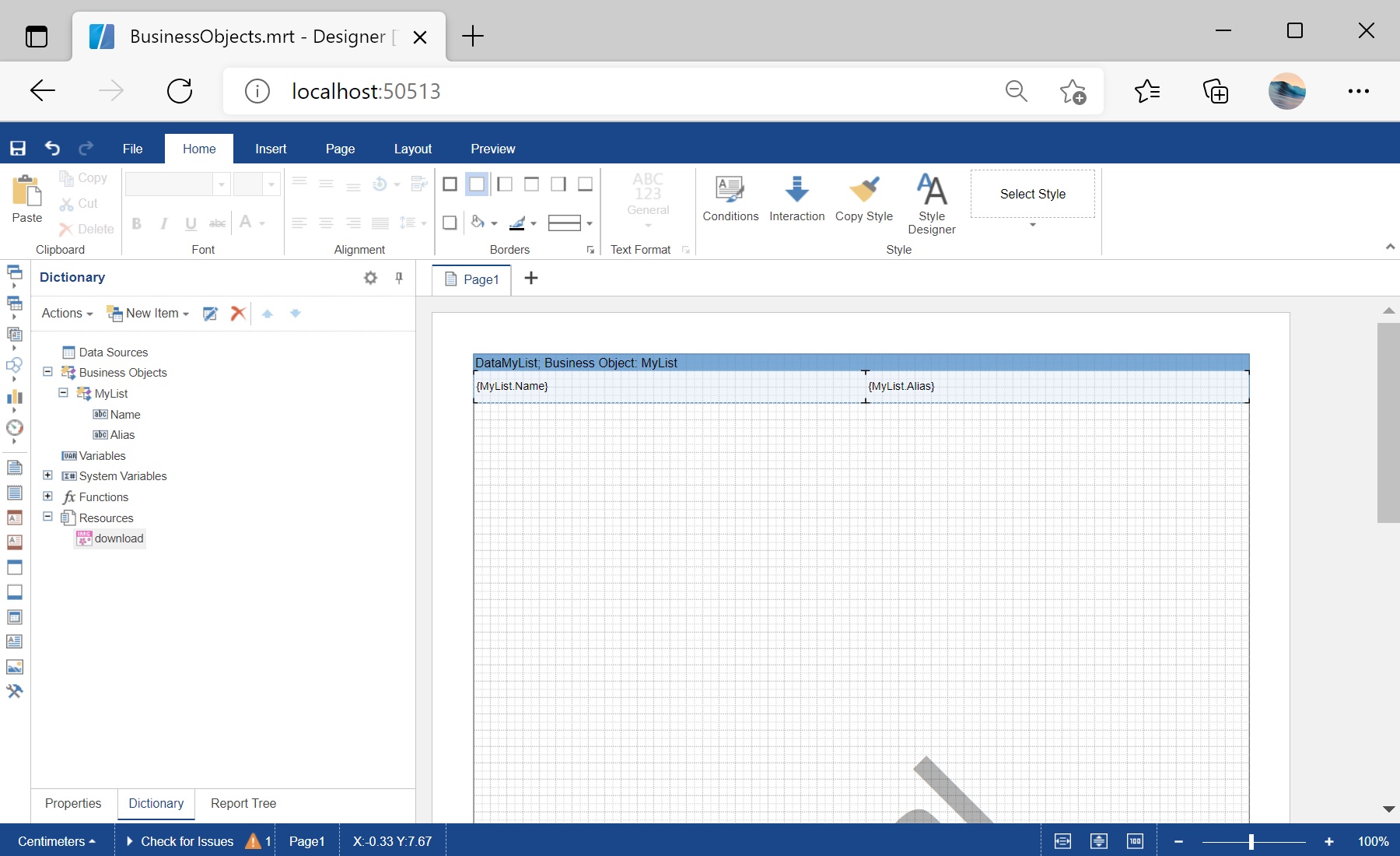
Registering the objects. Build the object collection, register it as a business data source, synchronize the dictionary, and render the report.
<StiBlazorDesigner Report="@Report" OnSaveReport="@OnSaveReport" />

@code {
    protected override void OnInitialized()
    {
        this.Report = new StiReport();
        this.Report.Load("Reports/BusinessObjects.mrt");

        var list = GetBusinessObject();
        this.Report.RegBusinessObject("MyList", list);
        this.Report.Dictionary.Synchronize();
    }
}
RegBusinessObject registers your object collection under a name, and Dictionary.Synchronize() creates the matching data fields. The report then works with your domain classes directly, both in the designer and when rendered.На скриншоте ниже Вы можете увидеть результат выполнения данного кода: