




















Adding a Custom Function to the Designer
Наши примеры проектов и шаблоны отчётов помогут Вам разобраться в основах работы с нашими продуктами.Add a custom function to the expression engine and call it from a report template during rendering.
Registering the function. Define the function signature, register it with the expression engine, and call it from a template expression during rendering.
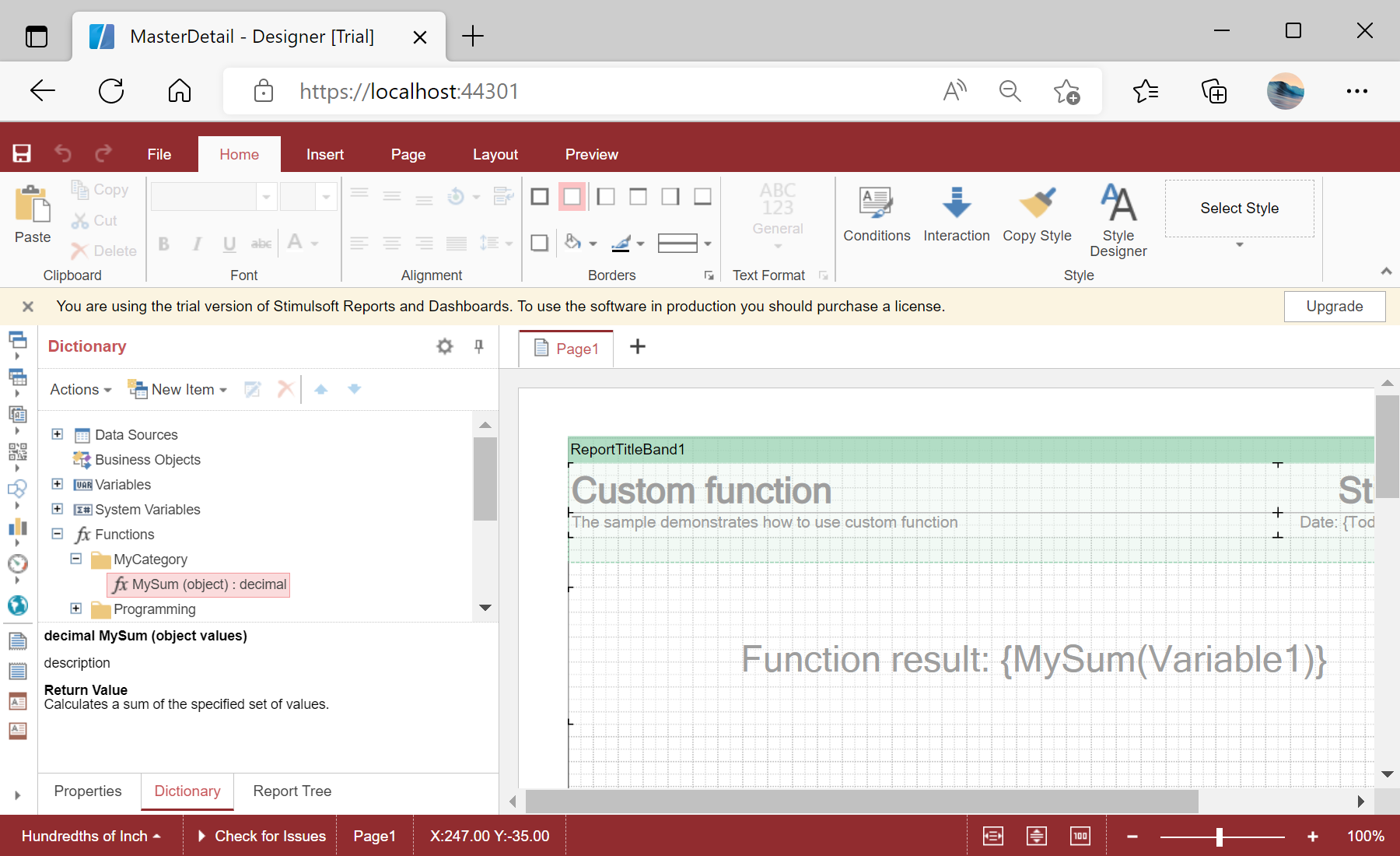
На скриншоте ниже Вы можете увидеть результат выполнения данного кода:
Registering the function. Define the function signature, register it with the expression engine, and call it from a template expression during rendering.
StiFunctions.AddFunction("MyCategory", "MySum",
    "description", typeof(CustomFunction),
    typeof(decimal), "Calculates a sum of the specified set of values.",
    new[] { typeof(object) },
    new[] { "values" },
    new[] { "A set of values" }).UseFullPath = false;

this.Report = new StiReport();
StiFunctions.AddFunction registers the method with its category, name, description, return type and parameters. It then appears in the designer's function list under MyCategory and can be used in any report expression.На скриншоте ниже Вы можете увидеть результат выполнения данного кода: