




















Changing the Viewer Theme
Наши примеры проектов и шаблоны отчётов помогут Вам разобраться в основах работы с нашими продуктами.Set up the report viewer in JavaScript, load a template, and connect the component to the application.
Viewer setup. Configure the viewer, load the report, assign it to the component, and process the requests or events raised by the UI.
На скриншоте ниже Вы можете увидеть результат выполнения данного кода:
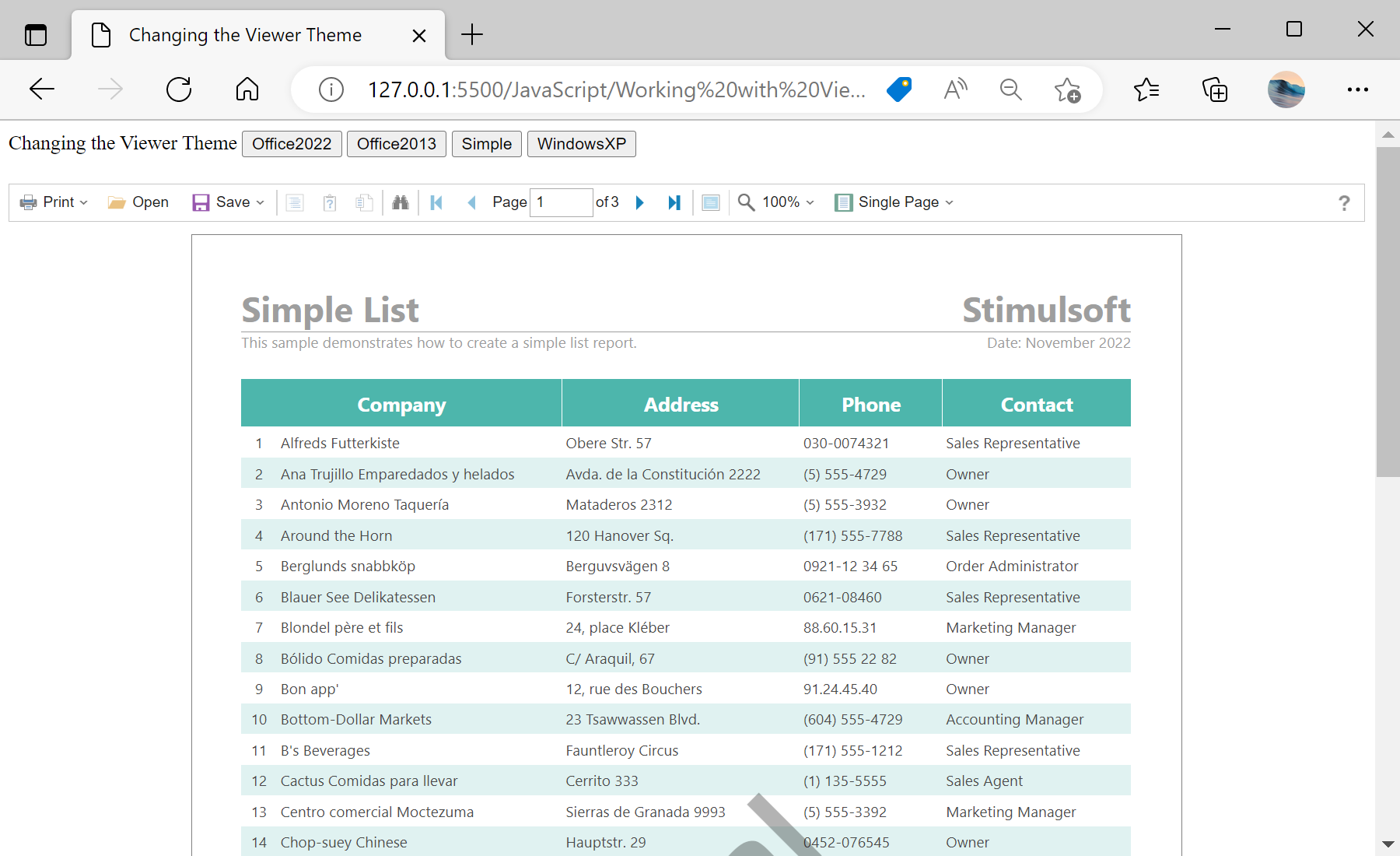
Viewer setup. Configure the viewer, load the report, assign it to the component, and process the requests or events raised by the UI.
var options = new Stimulsoft.Viewer.StiViewerOptions();
options.appearance.theme = Stimulsoft.Viewer.StiViewerTheme.Office2022WhiteBlue;

var viewer = new Stimulsoft.Viewer.StiViewer(options, undefined, false);

function setTheme(theme) {
    viewer.setTheme(theme);
}options.appearance.theme (a value of StiViewerTheme), and viewer.setTheme(...) changes it on the fly, letting users choose a light or dark look that fits your application.На скриншоте ниже Вы можете увидеть результат выполнения данного кода: