




















Adding a Custom Component to the Designer
Наши примеры проектов и шаблоны отчётов помогут Вам разобраться в основах работы с нашими продуктами.You can extend the designer with your own report components that users can drop onto a report like any built-in element.
Registering custom components. Add your component services to
На скриншоте ниже Вы можете увидеть результат выполнения данного кода:
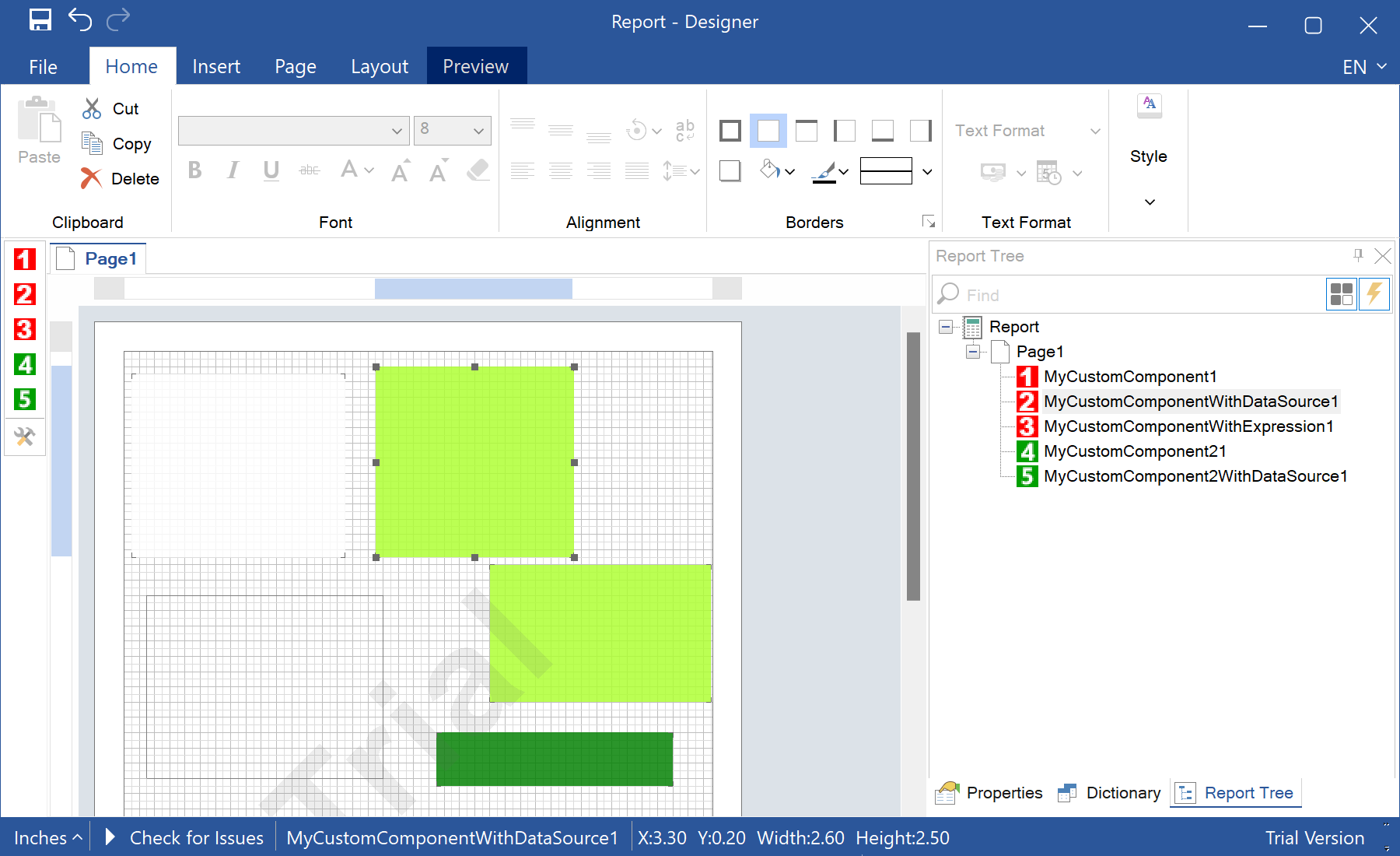
Registering custom components. Add your component services to
StiConfig.Services and save the configuration, so the designer shows them on its toolbox:StiConfig.Load();
StiConfig.Services.Add(new MyCustomComponent());
StiConfig.Services.Add(new MyCustomComponentWithDataSource());
StiConfig.Services.Add(new MyCustomComponentWithExpression());
StiConfig.Services.Add(new MyCustomComponent2());
StiConfig.Save();
var report = new StiReport();
report.Design();На скриншоте ниже Вы можете увидеть результат выполнения данного кода: