




















Showing a Progress while Rendering a Report
Наши примеры проектов и шаблоны отчётов помогут Вам разобраться в основах работы с нашими продуктами.Rendering on a
Render off the UI thread. Subscribe to the engine's
How it works. The engine reports progress through events while the worker renders, giving a smooth progress bar without freezing the form.
На скриншоте ниже Вы можете увидеть результат выполнения данного кода:
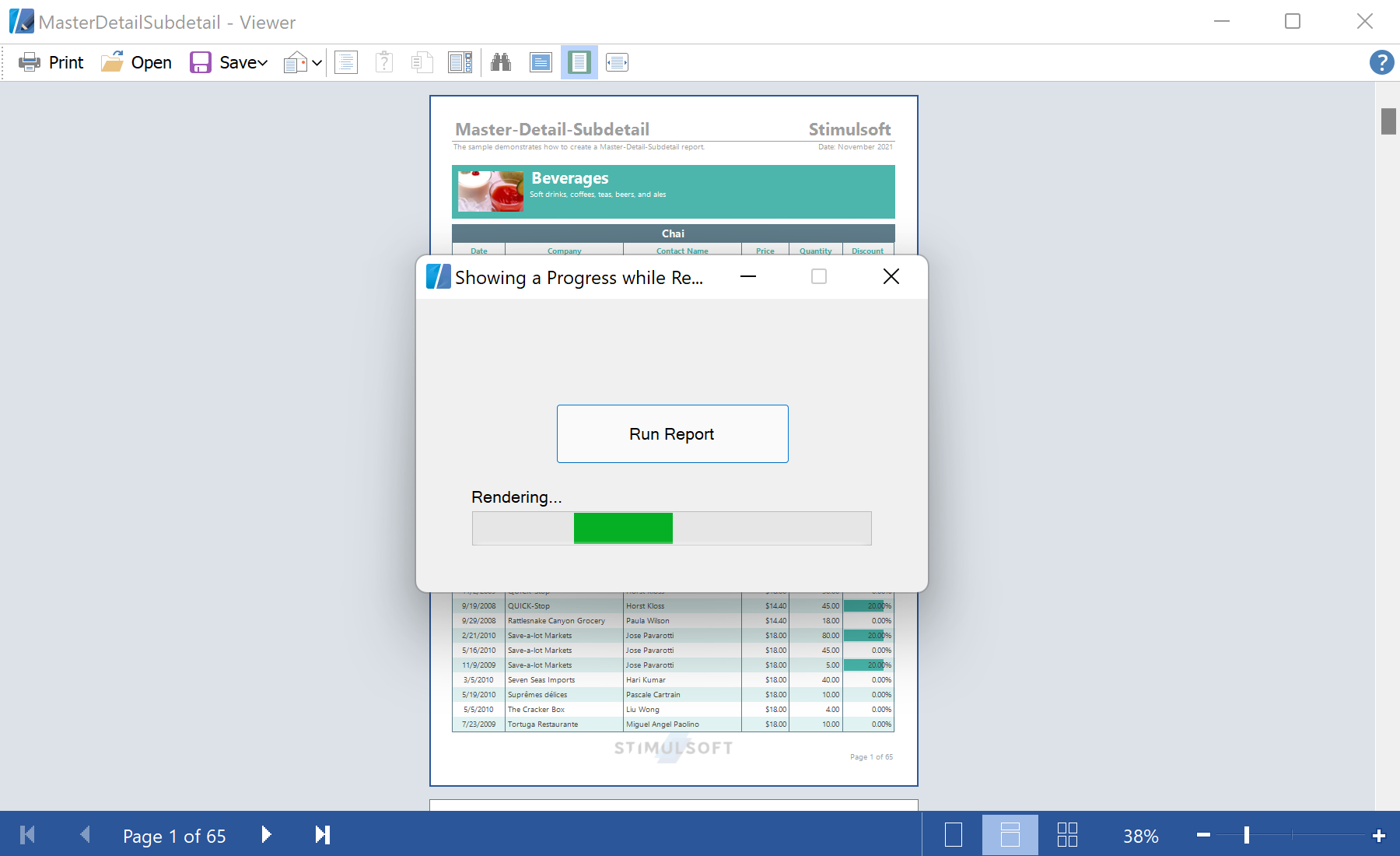
BackgroundWorker lets you show a live progress bar while a large report builds, then display it when finished.Render off the UI thread. Subscribe to the engine's
Rendering event to track progress; show the result on completion:void backgroundWorker1_DoWork(object sender, DoWorkEventArgs e)
{
report.Load(stream);
report.Compile();
report.CompiledReport.Rendering += CompiledReport_Rendering;
report.Render(false);
}
void backgroundWorker1_RunWorkerCompleted(object sender, RunWorkerCompletedEventArgs e)
{
progressBar1.Visible = false;
report.Show();
}Render(false)— render on the worker thread without the built-in progress window.CompiledReport.Renderingevent — raised as pages build; use it to advance your ownprogressBar1.RunWorkerCompleted— back on the UI thread; hide progress and show the report.
How it works. The engine reports progress through events while the worker renders, giving a smooth progress bar without freezing the form.
На скриншоте ниже Вы можете увидеть результат выполнения данного кода: