




















Showing a Report in the Viewer
Наши примеры проектов и шаблоны отчётов помогут Вам разобраться в основах работы с нашими продуктами.The Reports.PHP viewer is created on the server with the PHP SDK, which outputs the JavaScript viewer into the page.
Viewer setup. Configure the viewer, load the report, assign it to the component, and process the requests or events raised by the UI.
На скриншоте ниже Вы можете увидеть результат выполнения данного кода:
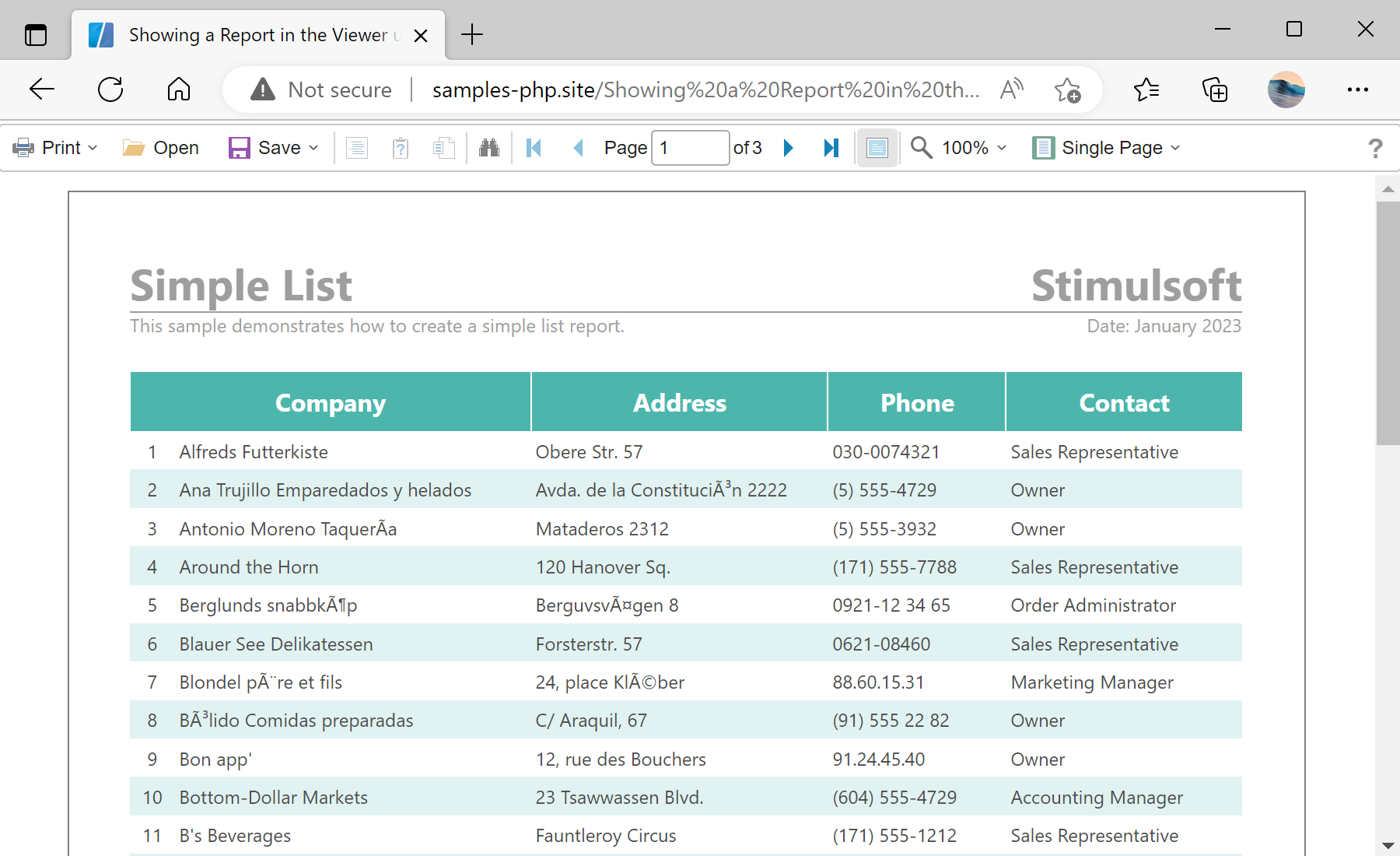
Viewer setup. Configure the viewer, load the report, assign it to the component, and process the requests or events raised by the UI.
$viewer = new StiViewer();
$viewer->javascript->relativePath = '../';
$viewer->process();

$report = new StiReport();
$report->loadFile('../reports/SimpleList.mrt');
$viewer->report = $report;

$viewer->printHtml();
new StiViewer()— creates the server-side viewer object that generates the client-side JavaScript viewer.javascript->relativePath— points to the folder containing the Stimulsoft scripts, relative to the current page.process()— handles the AJAX requests the viewer makes back to the server (data, print, export).loadFile()— loads an.mrtreport template into the report object.printHtml()— outputs the complete viewer — both the scripts and the viewer body — to the page.
process() handles the AJAX requests the viewer makes, loadFile loads a template, and printHtml() outputs the complete viewer HTML. The report is rendered in the browser by the bundled JavaScript engine.На скриншоте ниже Вы можете увидеть результат выполнения данного кода: