




















Changing the Viewer Options from the Controller
Наши примеры проектов и шаблоны отчётов помогут Вам разобраться в основах работы с нашими продуктами.Set up the report viewer in .NET 6.0, load a template, and connect the component to the application.
Building options in the controller. Configure a
Using them in the view. The view simply renders the options it was given:
Moving the configuration into the controller keeps the view clean and lets you decide the zoom, view mode, theme and other settings dynamically for each request.
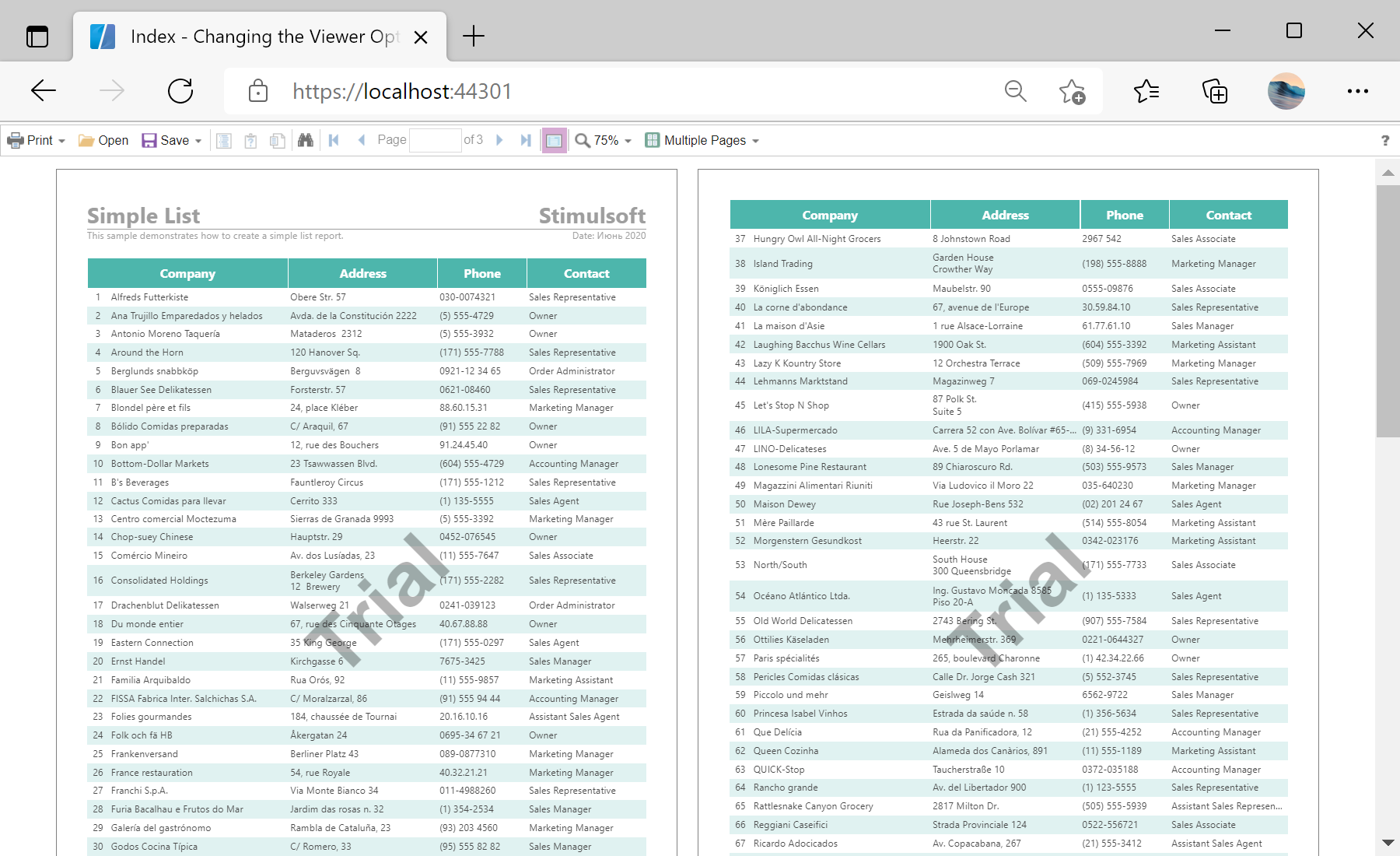
На скриншоте ниже Вы можете увидеть результат выполнения данного кода:
Building options in the controller. Configure a
StiNetCoreViewerOptions object and hand it to the view through ViewBag:public IActionResult Index()
{
var viewerOptions = new StiNetCoreViewerOptions();
viewerOptions.Actions.GetReport = "GetReport";
viewerOptions.Actions.ViewerEvent = "ViewerEvent";
viewerOptions.Appearance.FullScreenMode = true;
viewerOptions.Toolbar.Zoom = 75;
viewerOptions.Toolbar.ViewMode = StiWebViewMode.MultiplePages;
viewerOptions.Theme = StiViewerTheme.Office2013WhiteViolet;
ViewBag.ViewerOptions = viewerOptions;
return View();
}Using them in the view. The view simply renders the options it was given:
@Html.StiNetCoreViewer(@ViewBag.ViewerOptions as StiNetCoreViewerOptions)Moving the configuration into the controller keeps the view clean and lets you decide the zoom, view mode, theme and other settings dynamically for each request.
На скриншоте ниже Вы можете увидеть результат выполнения данного кода: