




















Creating a Custom Button on the Viewer Toolbar
Наши примеры проектов и шаблоны отчётов помогут Вам разобраться в основах работы с нашими продуктами.The web viewer toolbar can be extended with your own buttons using its client-side JavaScript API.
Naming the viewer. Give the viewer an instance name so you can reference it in script:
Adding the button. In the viewer's
The client API (
На скриншоте ниже Вы можете увидеть результат выполнения данного кода:
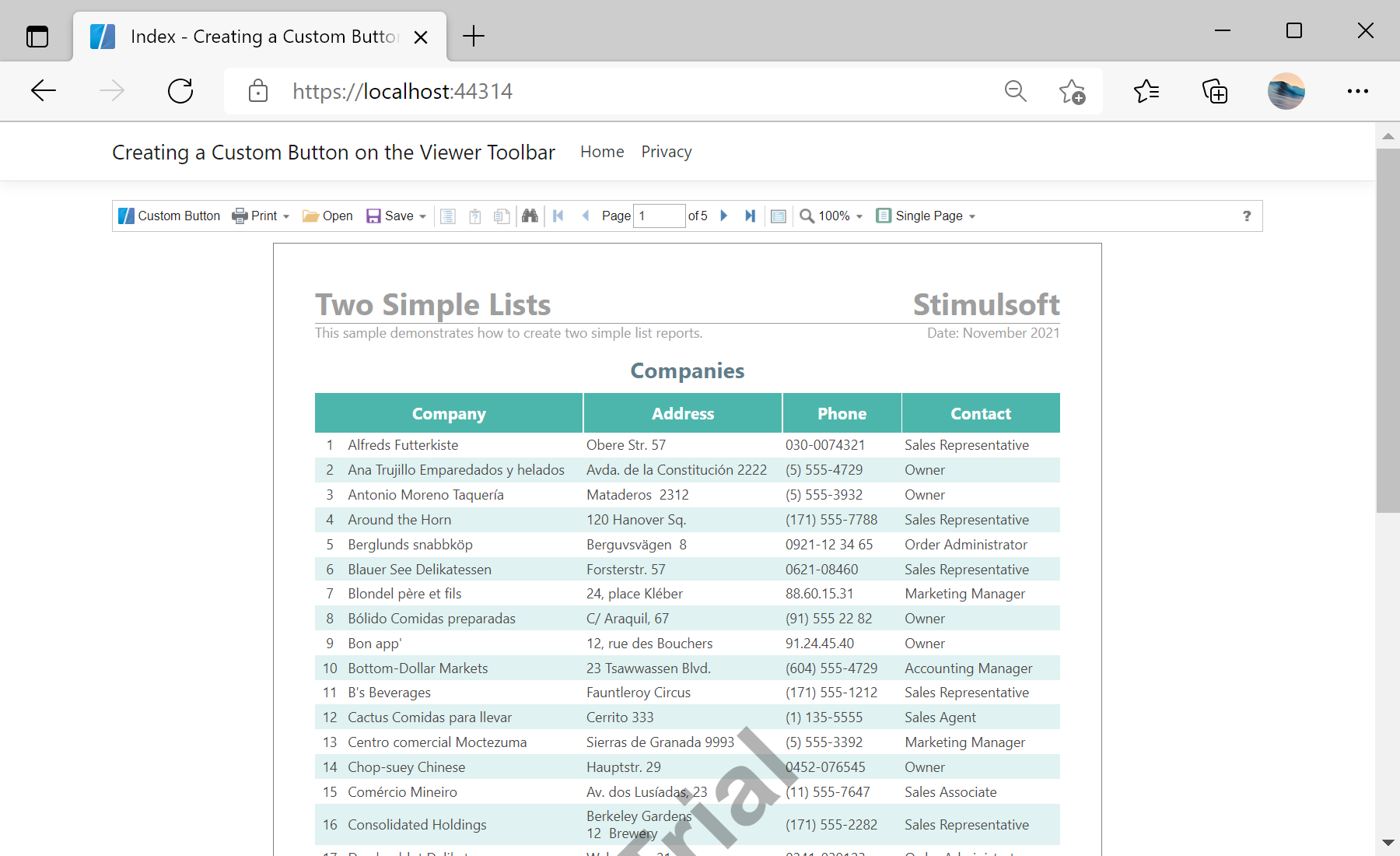
Naming the viewer. Give the viewer an instance name so you can reference it in script:
@Html.StiNetCoreViewer("StiNetCoreViewer1", new StiNetCoreViewerOptions()
{
    Actions = { GetReport = "GetReport", ViewerEvent = "ViewerEvent" }
})
Adding the button. In the viewer's
onready callback, create a button and insert it into the toolbar:jsStiNetCoreViewer1.onready = function () {
var customButton = jsStiNetCoreViewer1.SmallButton("customButton", "Custom Button", "emptyImage");
customButton.image.src = "icon.png";
customButton.action = function () {
alert("Custom Button Event");
};
var toolbarTable = jsStiNetCoreViewer1.controls.toolbar.firstChild.firstChild;
var buttonsTable = toolbarTable.rows[0].firstChild.firstChild;
buttonsTable.rows[0].insertCell(0).appendChild(customButton);
};The client API (
jsStiNetCoreViewer1) exposes the toolbar and its controls, so you can add buttons, wire them to your own logic, and integrate the viewer with the rest of your web page.На скриншоте ниже Вы можете увидеть результат выполнения данного кода: