




















Saving a Report Template in the Designer
Наши примеры проектов и шаблоны отчётов помогут Вам разобраться в основах работы с нашими продуктами.Embed the report designer in ASP.NET Core Razor Pages, load a template, and connect its editing and save actions.
Enabling save. Register a
Handling the save. The handler receives the edited report and the requested file name, and stores the template yourself:
Because you get the report object and the requested name, the template can be persisted to a database, a cloud store or the file system.
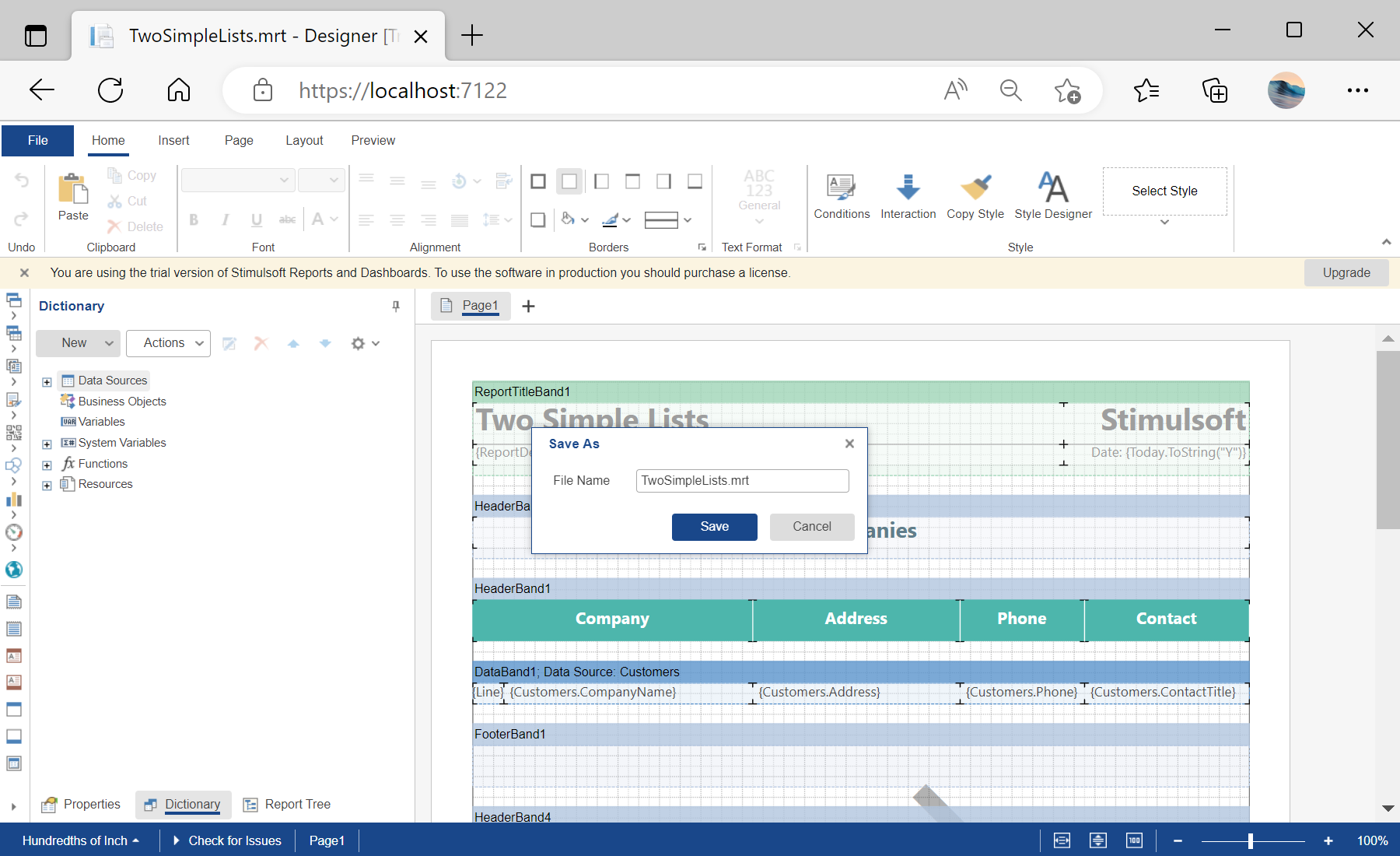
На скриншоте ниже Вы можете увидеть результат выполнения данного кода:
Enabling save. Register a
SaveReport action in the designer options:@Html.StiNetCoreDesigner(new StiNetCoreDesignerOptions()
{
Actions =
{
GetReport = "GetReport",
SaveReport = "SaveReport",
DesignerEvent = "DesignerEvent"
}
})Handling the save. The handler receives the edited report and the requested file name, and stores the template yourself:
public IActionResult OnPostGetReport()
{
    var report = new StiReport();
    report.Load(StiNetCoreHelper.MapPath(this, "Reports/TwoSimpleLists.mrt"));

    return StiNetCoreDesigner.GetReportResult(this, report);
}

public IActionResult OnPostSaveReport()
{
    var requestParams = StiNetCoreDesigner.GetRequestParams(this);
    var report = StiNetCoreDesigner.GetReportObject(this);

    // Save the report template, for example to a JSON string
    var json = report.SaveToJsonString();

    var name1 = report.ReportName;               // Original report name
    var name2 = requestParams.Designer.FileName; // Name from the Save dialog

    return Content($"{{\"infoMessage\":\"Report file saved successfully as {name2}\"}}");
}
Because you get the report object and the requested name, the template can be persisted to a database, a cloud store or the file system.
На скриншоте ниже Вы можете увидеть результат выполнения данного кода: