




















Using a Custom Data Adapter
Наши примеры проектов и шаблоны отчётов помогут Вам разобраться в основах работы с нашими продуктами.For a data source that is not built in, you can register a custom data adapter and use it in the WPF designer.
Preparing the data. Read or create the data source, register it in the report dictionary, synchronize the schema, and render with the supplied records.
На скриншоте ниже Вы можете увидеть результат выполнения данного кода:
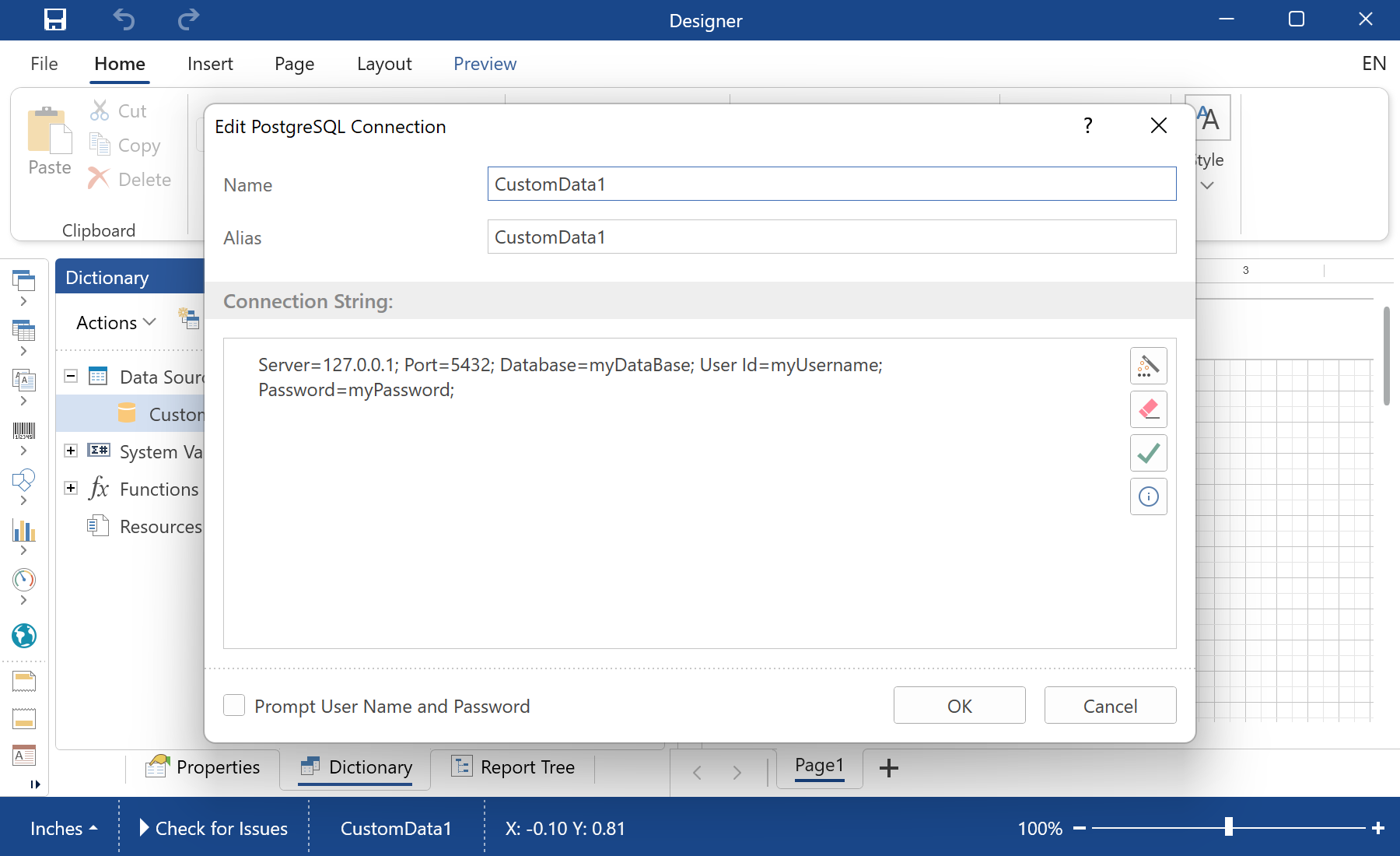
Preparing the data. Read or create the data source, register it in the report dictionary, synchronize the schema, and render with the supplied records.
StiOptions.Services.Databases.Clear();
StiOptions.Services.Databases.Add(new CustomPostgreSQLDatabase());
StiOptions.Services.DataAdapters.Add(new CustomPostgreSQLAdapterService());

var report = new StiReport();
var database = new CustomPostgreSQLDatabase("CustomData1",
    "Server=127.0.0.1; Port=5432; Database=myDataBase; User Id=myUsername; Password=myPassword;");
report.Dictionary.Databases.Add(database);
report.DesignV2WithWpf();StiOptions.Services, the new source works in the designer and the engine like any built-in one.На скриншоте ниже Вы можете увидеть результат выполнения данного кода: