




















Using Business Objects in the Report
Наши примеры проектов и шаблоны отчётов помогут Вам разобраться в основах работы с нашими продуктами.Reports can be bound directly to your application's business objects — collections implementing IEnumerable or ITypedList.
Registering the objects. Build the object collection, register it as a business data source, synchronize the dictionary, and render the report.
На скриншоте ниже Вы можете увидеть результат выполнения данного кода:
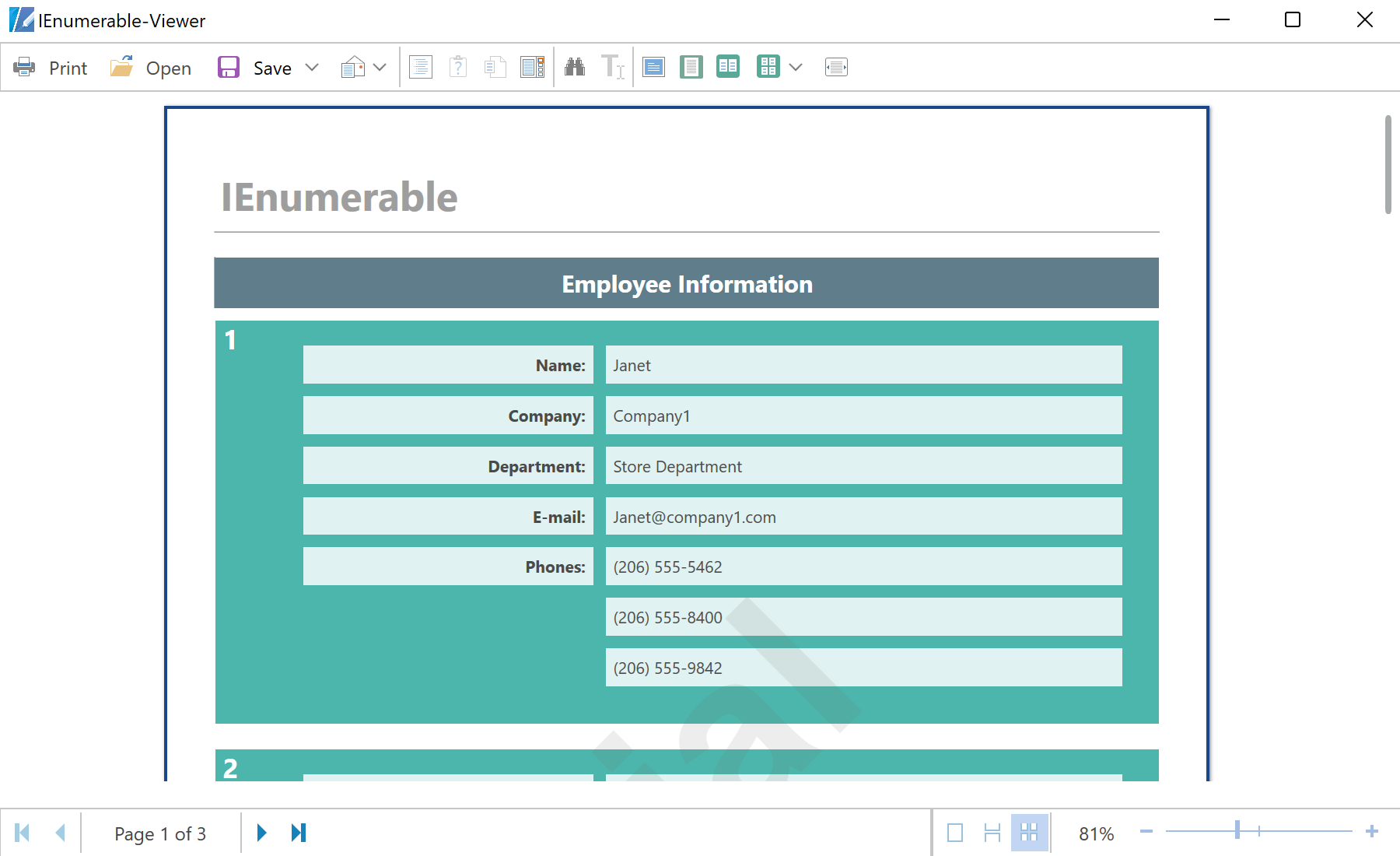
Registering the objects. Build the object collection, register it as a business data source, synchronize the dictionary, and render the report.
var report = new StiReport();
report.RegData("EmployeeIEnumerable", CreateBusinessObjectsIEnumerable.GetEmployees());
report.Load("Reports/BusinessObjects_IEnumerable.mrt");
report.ShowWithWpf(); // or report.DesignV2WithWpf();ITypedList source, which additionally exposes column metadata. Binding to business objects lets a report consume the very domain classes your application already uses, without converting them to datasets first.На скриншоте ниже Вы можете увидеть результат выполнения данного кода: